
Turn project notes into your team’s next sprint.
Review your project brief, choose work that fits your team’s capacity, and keep assignments and blockers visible.


Agree on what you’re building.
Project notes can be scattered. Bring them into an organized draft, correct what needs changing and confirm the brief for your team.
When new information arrives, review the proposed update. Existing commitments stay separate.
From notes to a project brief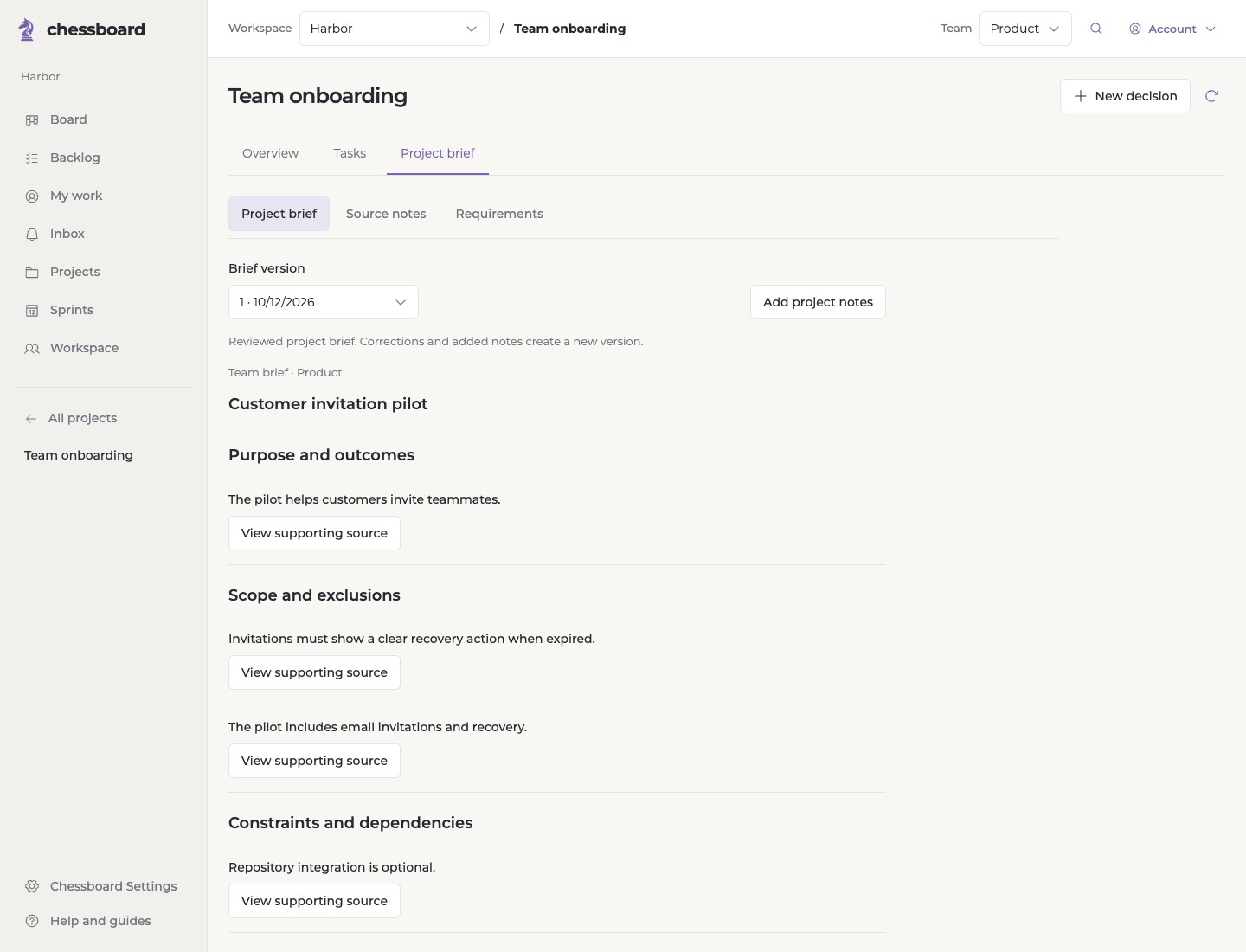
Choose a sprint that fits.
See the owners and available capacity before you commit. Leave room for interruptions, review and the work already in progress.
Review the proposal as a team. Keep the reason visible when the plan changes.
How sprint planning works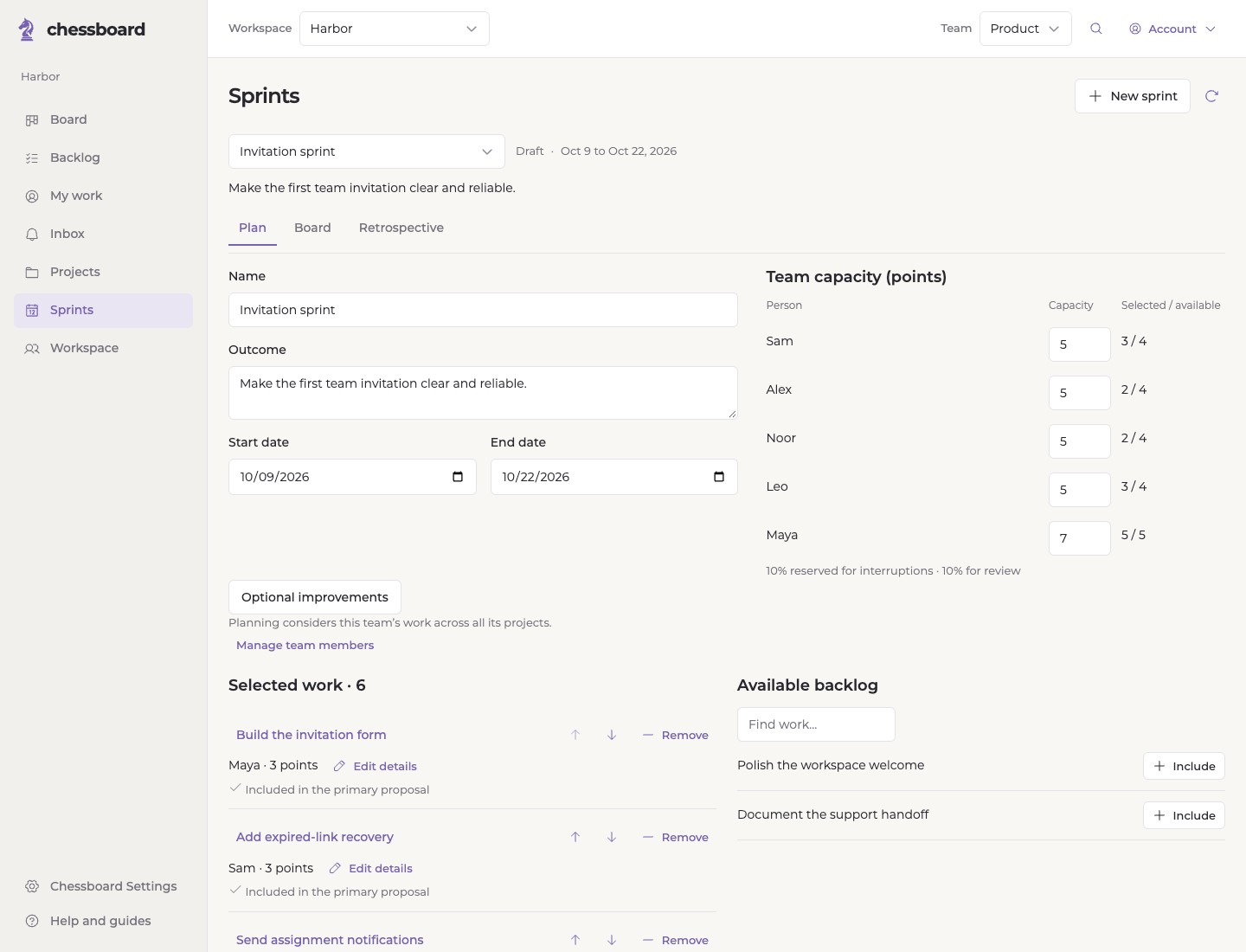
Know what needs your attention.
My work keeps assignments, status changes, discussions and blockers close. Open the task when you need the detail.
Explore everyday work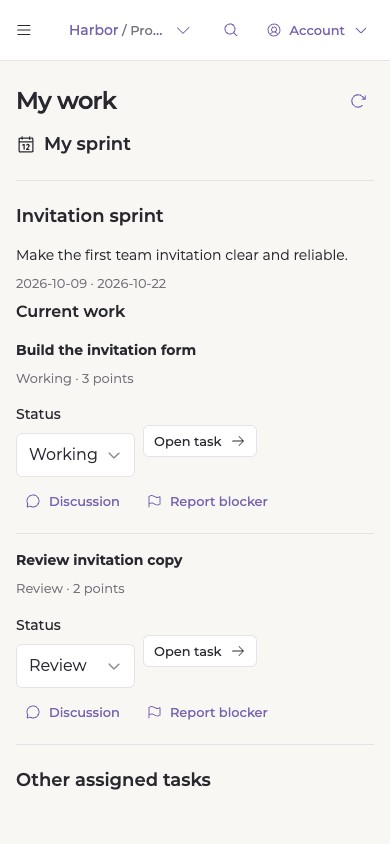
Use this sprint to plan the next.
Review what finished, what remains and what your team wants to improve. Then choose the next sprint with the current priorities in mind.
Unfinished work stays open until your team decides where it belongs.
A practical sprint review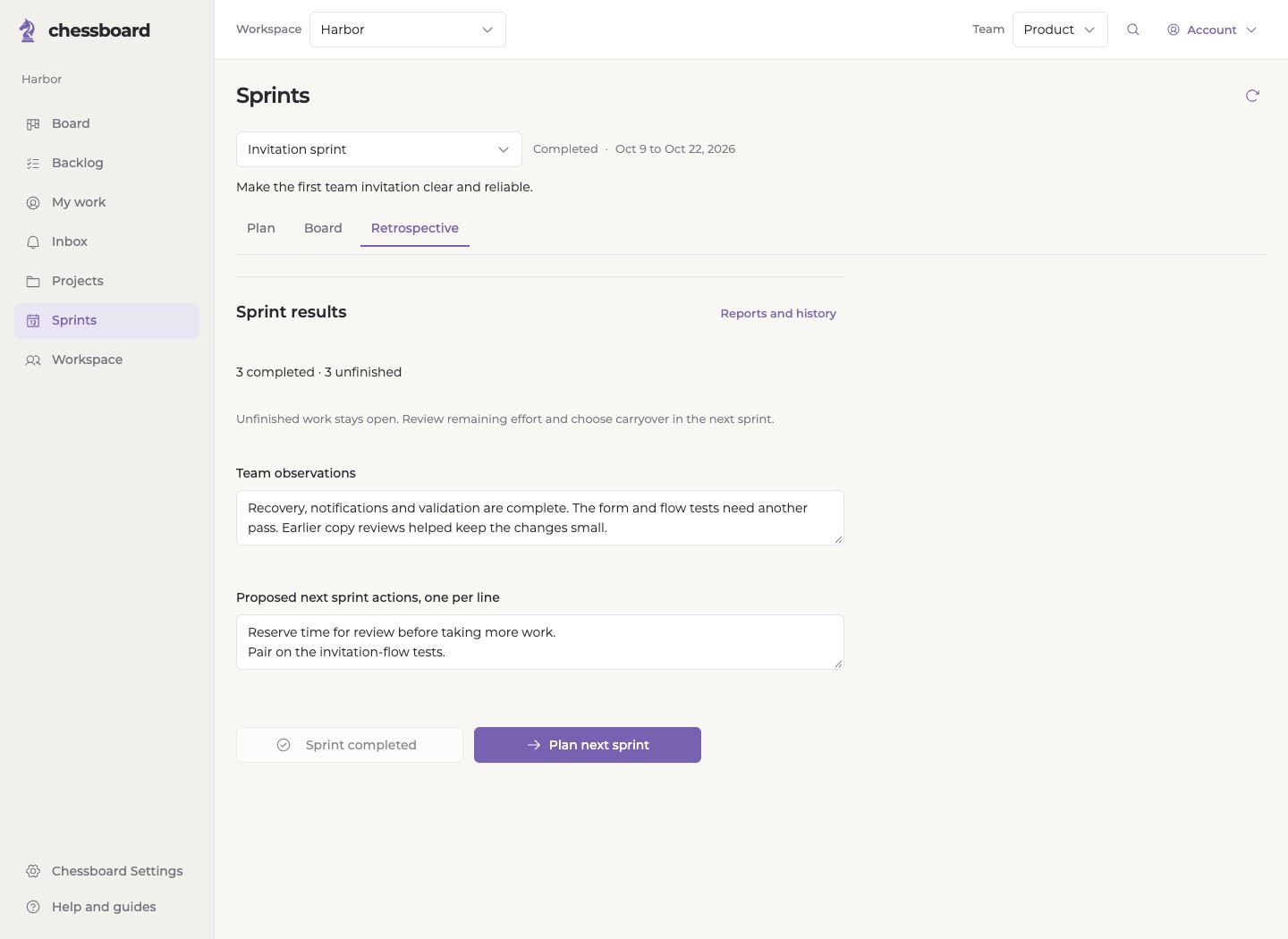
Choose the right planning workflow.
Compare the planning approach, capacity inputs and integration behavior that matter to you.
Compare Chessboard- Chessboard and Linear
Compare explicit sprint review and individual capacity inputs in Chessboard with Linear's recurring cycles, documents and GitHub automation.
- Chessboard and Jira
Compare Chessboard's focused project-brief-to-sprint journey with Jira's Scrum boards, broader planning options and configurable ecosystem.
- Chessboard and GitHub Projects
Compare Chessboard's reviewed briefs, capacity and sprint reviews with GitHub Projects' flexible tables, boards, roadmaps and repository integration.
Start with Free.
One team, 100 issues and unlimited members. Projects, boards, sprint planning and retrospectives are included.
See Free and Paid pricingA few useful answers.
Do we need documents to use Chessboard?
No. You can create tasks and manage boards and sprints manually. Document assistance is an optional feature for an eligible workspace.
Does Chessboard assign and finish work for us?
Your team chooses owners, approves commitments and marks work complete. Drafts and repository observations help with context; they do not make those decisions.
Can we work across more than one project?
Yes. A team can participate in multiple projects, and sprint planning considers the team’s work across those projects.
What happens to uploaded notes?
Original intake notes expire for access after 30 days, with cleanup queued earlier when intake is finished or a source is removed. Reviewed briefs and saved work have separate retention. Read the Privacy Policy.
Plan your team’s next sprint.
Bring your team, agree on scope and choose work that fits.