
Written by Chessboard · Updated 2026-10-12
Give the project enough context
Bring the notes you already have: product goals, technical constraints, customer needs, decisions, exclusions and meeting notes. Plain text and Markdown are supported.
For initial intake, the current limit is 100,000 characters in total, with a 400 KB byte cap. Supplemental notes use a 50,000-character allowance and a 200 KB byte cap. Keep the submitted set focused rather than treating intake as a permanent document library.
- Say what outcome matters and who the project serves.
- Keep words such as only, optional, unless and not included when they change meaning.
- Distinguish a current decision from an old proposal or a future idea.
- Exclude secrets and personal information the team does not need.
Saving and analysis are separate
Upload or paste the notes first. Choose the analysis action to prepare the draft. Document assistance requires an eligible workspace.
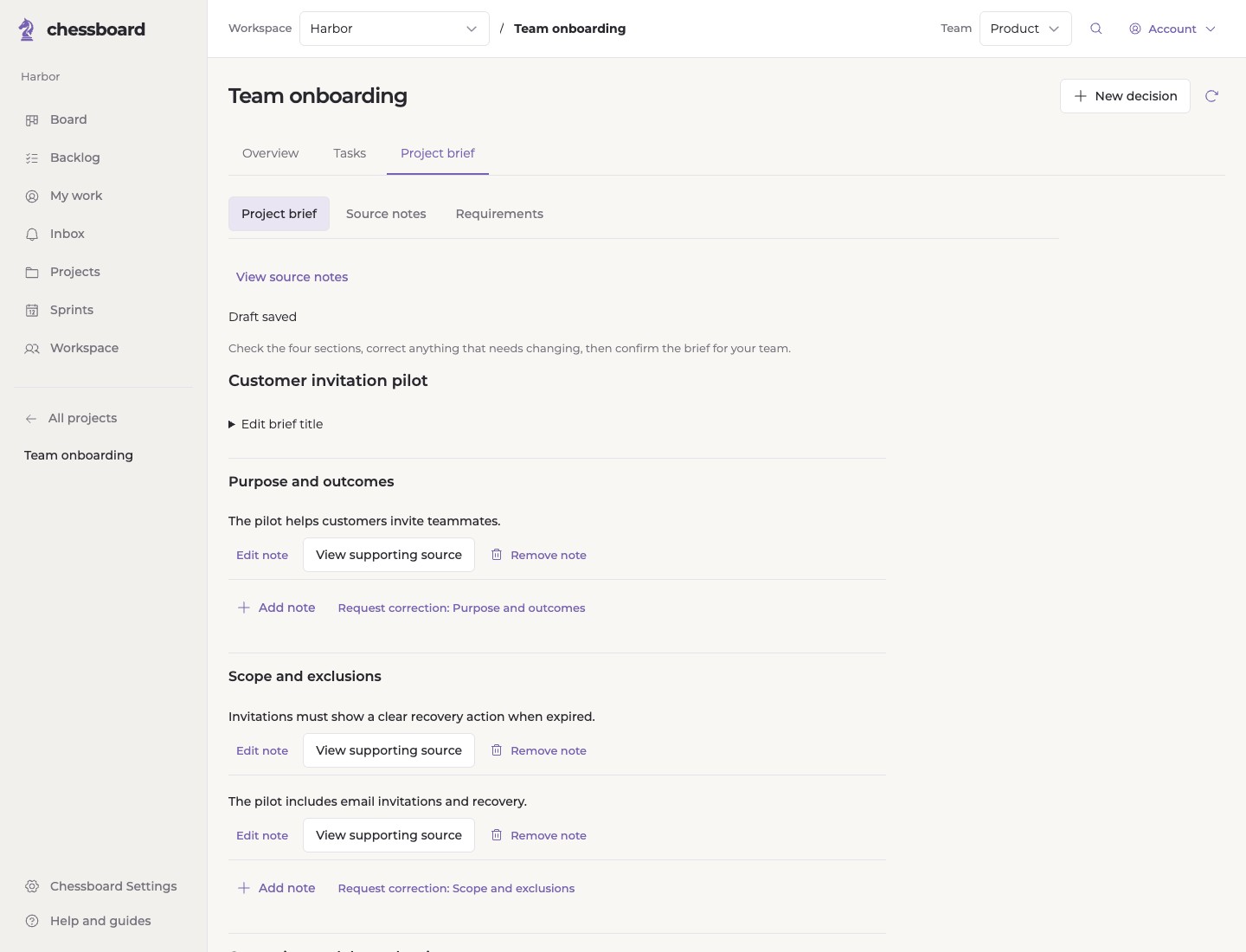
Chessboard organizes source material into four sections: purpose and outcomes, scope and exclusions, constraints and dependencies, and open questions. Missing information should remain something to clarify rather than a new obligation.
Review what the draft means
Read the summary in ordinary project terms. Check whether each important qualification survived. View supporting source notes when you need to understand where a statement came from.
You can edit a note yourself or request a correction to a specific section. Describe the misunderstanding clearly. Confirm the brief when the wording provides a useful starting point.
Confirmation saves project context. It does not automatically assign teammates, approve task scope or commit sprint work.
Add new information deliberately
Use Add project notes from the reviewed brief for supplemental information. Explain what changed and reference the section or fact it affects.
Review the proposed wording before saving a new version. Existing task progress and sprint commitments remain separate; review affected work before making new commitments.
Keep the brief, not an endless upload archive
Original intake notes become unavailable after 30 days from upload, and cleanup is queued sooner when the intake is completed or a source is removed. Waiting for review does not restart the upload deadline.
Reviewed facts and selected excerpts can remain in the brief, tasks and saved project records. Deleting the original notes does not erase those records. See the Privacy Policy for the full distinction.